

Signals & Roadmapslike Productboard
Priorities with the evidence attached
Feedback, support tickets, errors and usage changes, grouped by product area and linked to the roadmap items they justify.
Explore Signals & RoadmapsThe AI-native product workspace
AnedAI helps teams bring their ideas, work, documents, code, and AI together in one place so everyone knows what’s happening and what to do next.
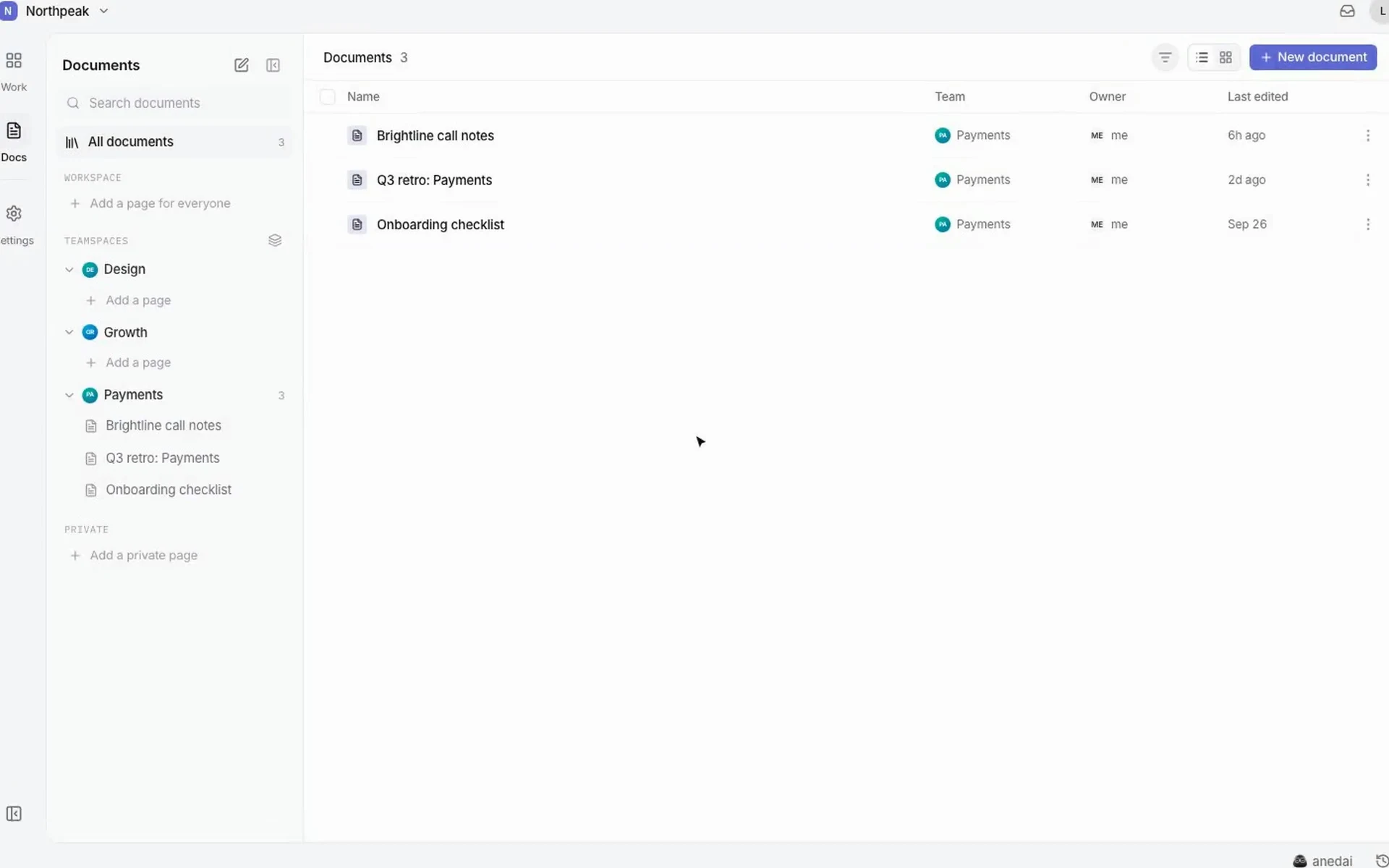
One workspace
Use ours, or connect yours. The context stays connected either way.
 One workspace
Signals & Roadmapslike Productboard
Feedback, support tickets, errors and usage changes, grouped by product area and linked to the roadmap items they justify.
Explore Signals & RoadmapsDocslike Notion
Write PRDs, RFCs and research freely. AnedAI finds the goals and decisions inside and keeps them linked to the work.
Explore DocsIssues & Sprintslike Linear
Fast issue tracking and sprint planning, where every issue carries the decision and the signal behind it.
Explore Issues & SprintsAI Buildlike Lovable
Plans, code, tests and pull requests, written with the whole product context, across every repository the work touches.
Explore AI BuildThe problem
The reason behind a feature is split across a ticket, a thread, a doc, an issue, three pull requests and a dashboard. Each tool holds a piece. None of them holds the story.
 Intercom“I've clicked Delete three times and it just errors. If I'm not allowed, why is the button even there?”
 Slack“Didn't we decide to hide these months ago? Who made that call? I can't find it anywhere.”
 NotionPermissions PRD · last edited 5 months ago. Still says “disable actions”. Is this even current?
 Figma“Design still shows greyed-out buttons with tooltips. Which version is right??”
 LinearDASH-142 · Hide unauthorized actions. No link to why. “Who asked for this?”
 GitHub3 PRs in 3 repos. Reviewer: “What's the context here? I can't approve this blind.”
 Sentry403s on /admin up 4× since Tuesday's release. Nobody knows which change caused it.
Before you build
“Why are we doing this?”
Engineers reconstruct the reason from old docs and threads.
While you build
“What will this break?”
Nobody can see which contracts, repositories and teams a change touches.
After you ship
“Did it actually work?”
The signal that started the work is never checked again.
As AI writes more of the code, missing context stops being a nuisance and becomes the bottleneck.
How AnedAI solves it
Three connected parts, with AI working across all of them.
FIG 0.1
Research, decisions and specs, linked into one plan.
Explore PlanFIG 0.2
Issues, sprints and AI that carry the plan into code.
Explore BuildFIG 0.3
Signals and impact that show whether it worked.
Explore Monitor01 · Plan
AnedAI turns what your docs say into a connected plan: goals, capabilities, decisions and the work, on one graph. You decide what becomes the truth.
Superseded, never deleted. Every change is recorded with the evidence behind it.
Generated from the plan and updated when it changes.
02 · Build
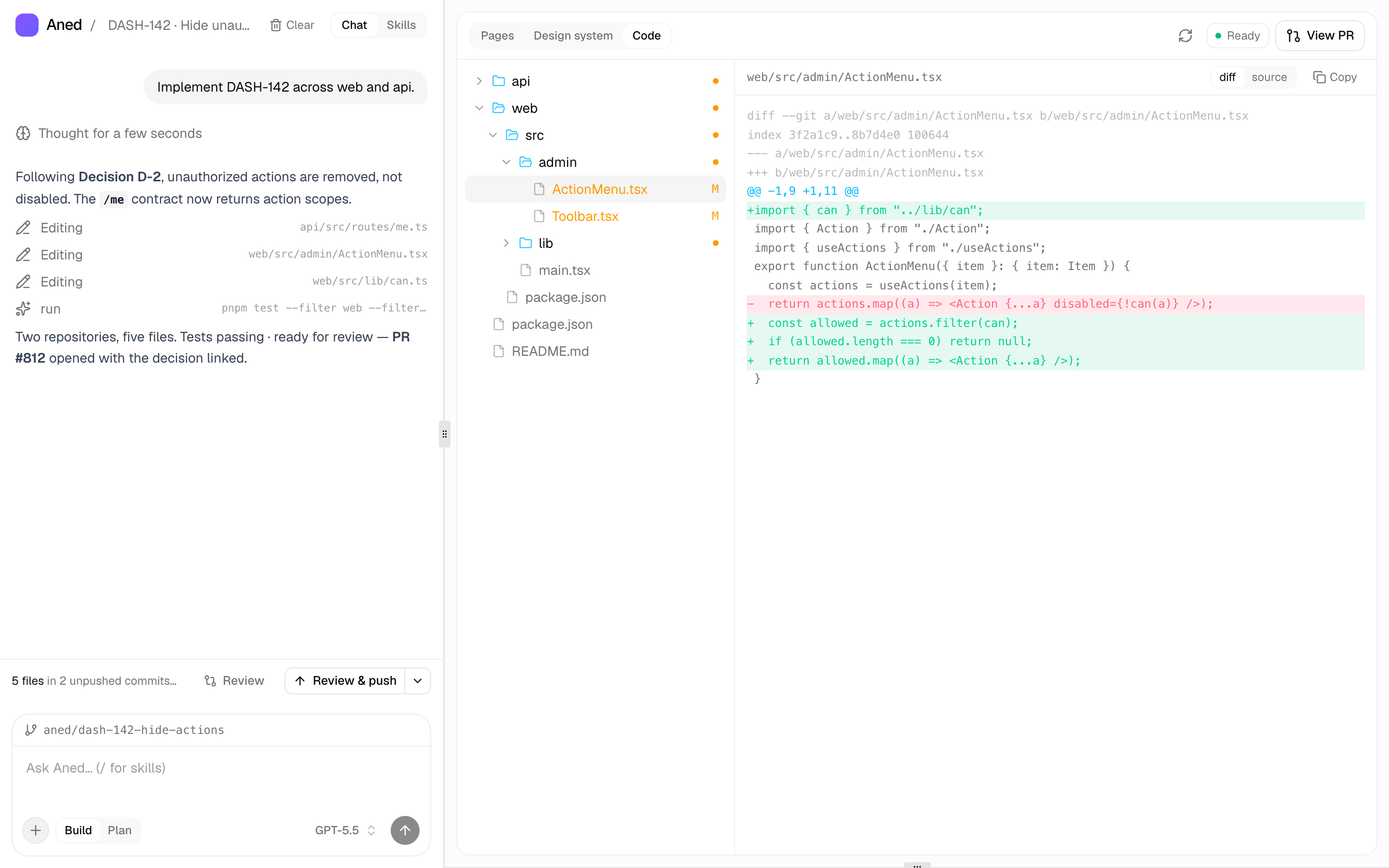
Every issue shows the decision, signal and goal above it.
Plan by priority and dependency, and see what carries over.
Specs, code, tests and pull requests grounded in the plan.
One feature across many repositories, tracked as one piece.
03 · Monitor

The whole story
Plan
Build
Monitor
New signals feed the next plan. The loop never loses its history.
AI across everything
Ask in chat, or mention @anedai in any issue, doc or comment. Every answer shows where it came from.

Integrations
AnedAI doesn't ask you to move your company's knowledge into another silo. It reads what's already there and keeps the relationships.
One workspaceStep 1
Connect
Link GitHub, Linear or Jira, Slack and your docs. Nothing has to move.
Step 2
Link
Review the goals, decisions and links AnedAI proposes. Accept what's true.
Step 3
Close the loop
Turn on signals from support and production so shipped work reports back.
Bring your tools, your docs and your team. AnedAI keeps the story between them.