Plans
The plan is the structure of the work.
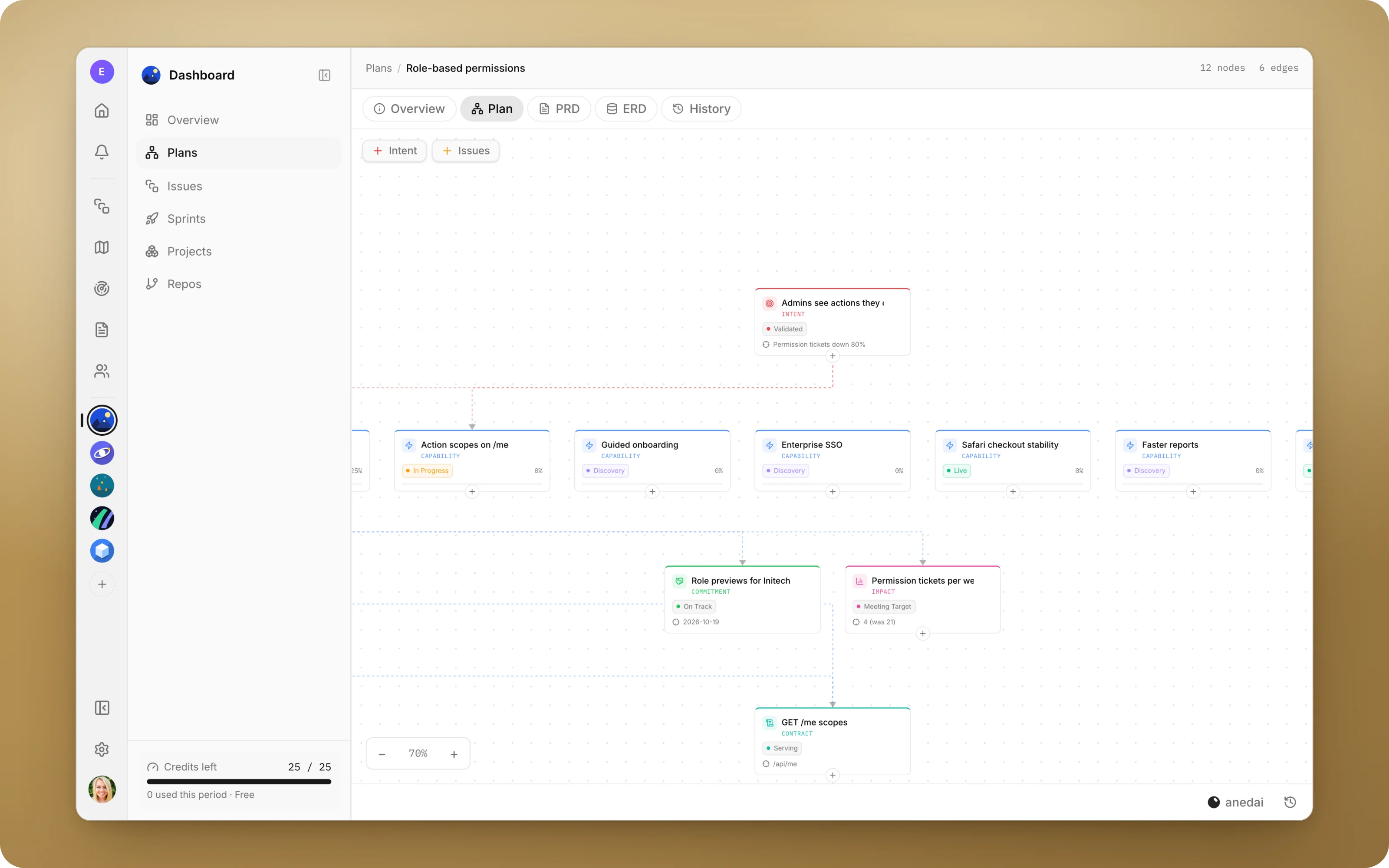
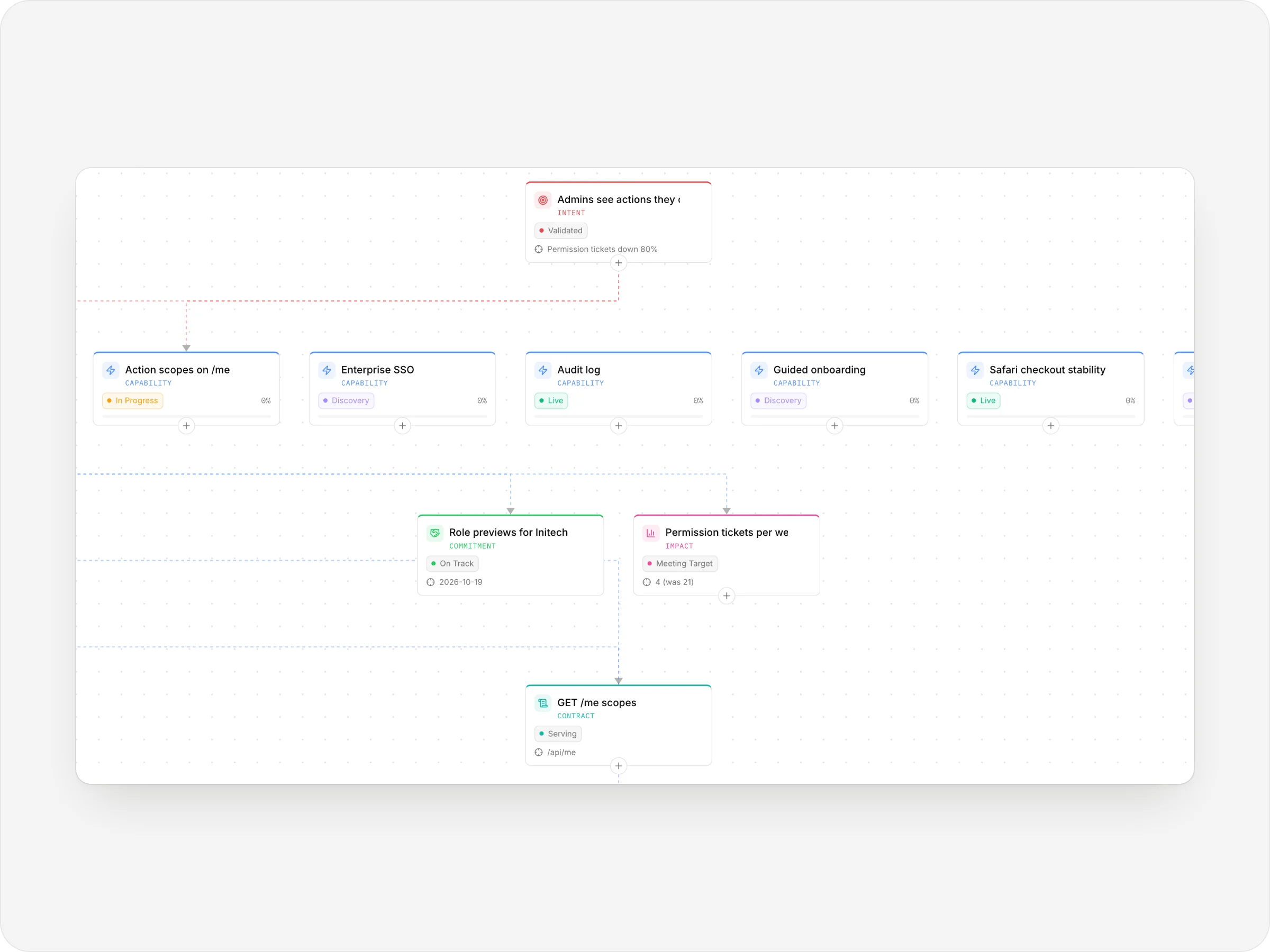
A live map of what you're building and why: goals, the capabilities that answer them, the technical contracts underneath, and the issues doing the work, all on one canvas.
Why Plans
Why it saves time.
- 01
The spec and the work can't disagree.
The PRD is a view of the plan, not a copy of it, so there's no separate document to update.
- 02
Everyone sees the same picture.
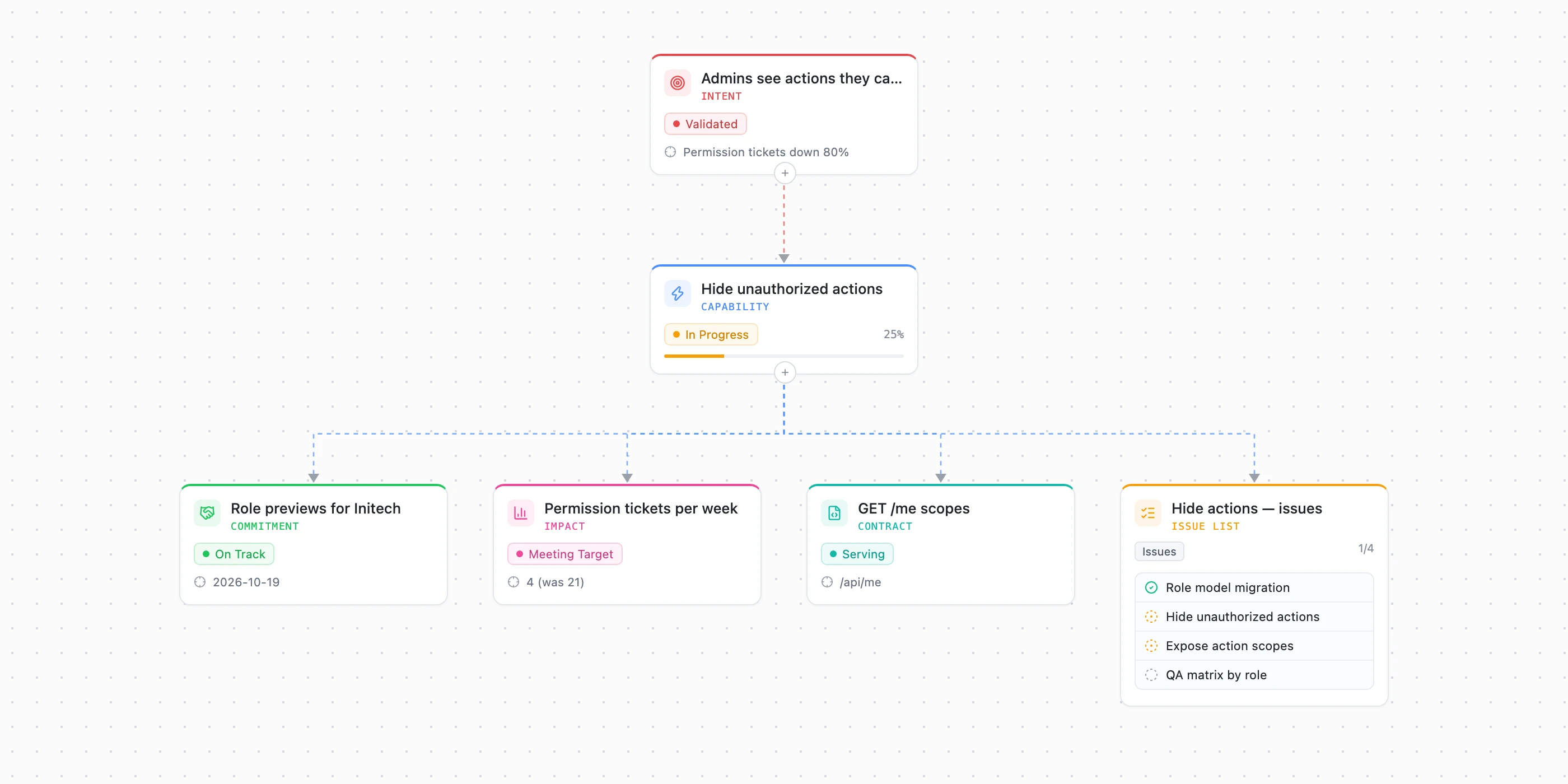
Product, design and engineering look at one canvas: goal → capability → contract → issues.
- 03
Progress is visible without a status meeting.
Issue lists sit on the canvas and capability progress rolls up from them.
- 04
Decisions keep their reasons.
New teammates, or you in six months, can read why something was built this way instead of guessing.
- 05
Mistakes are cheap.
Every AI change is snapshotted, and a restore is one click that can itself be undone.
What it does
Inside Plans.
anedai AI
Let the AI do the typing.
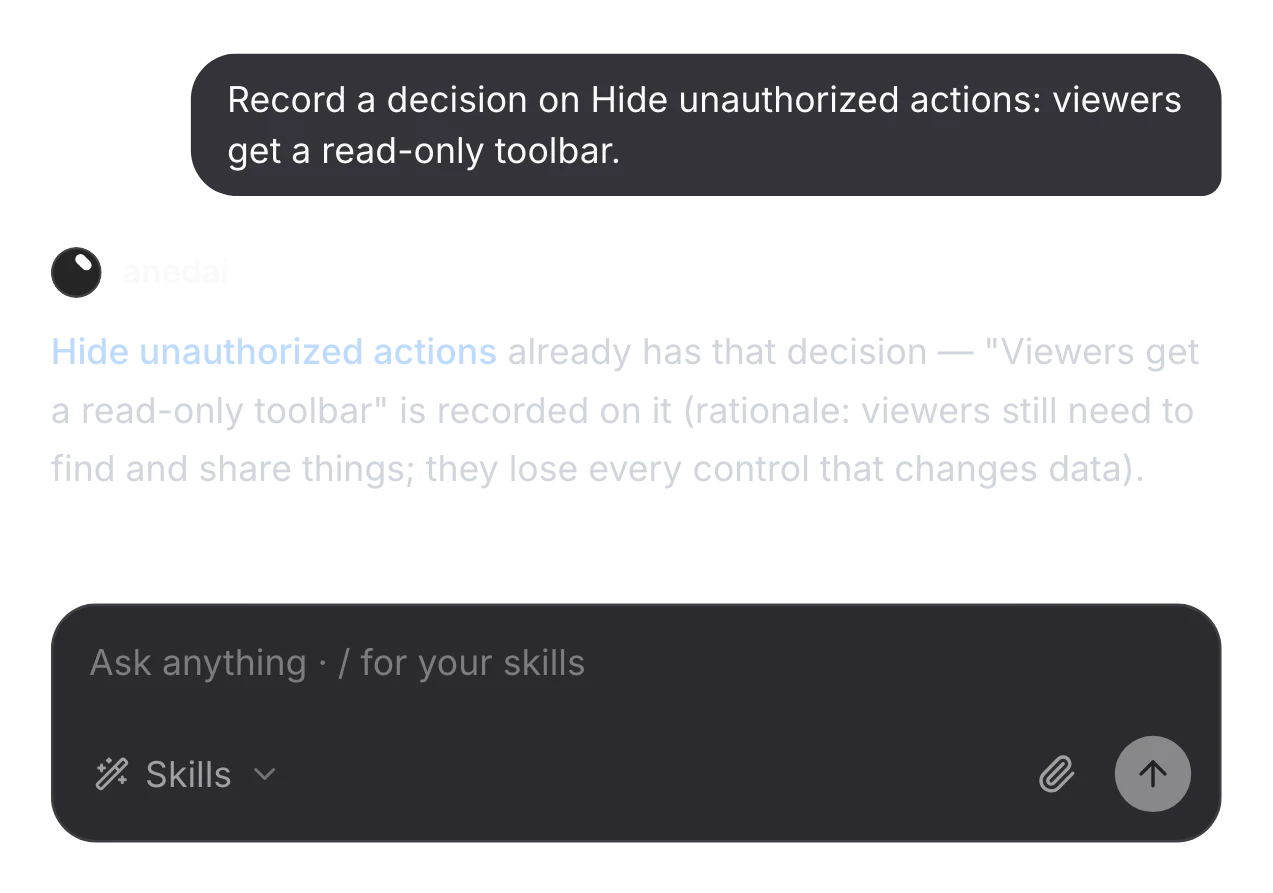
In the plan's chat, the canvas agent creates and edits cards and links, records decisions, and traces where anything came from. Every change it makes is snapshotted, so a restore is one click.
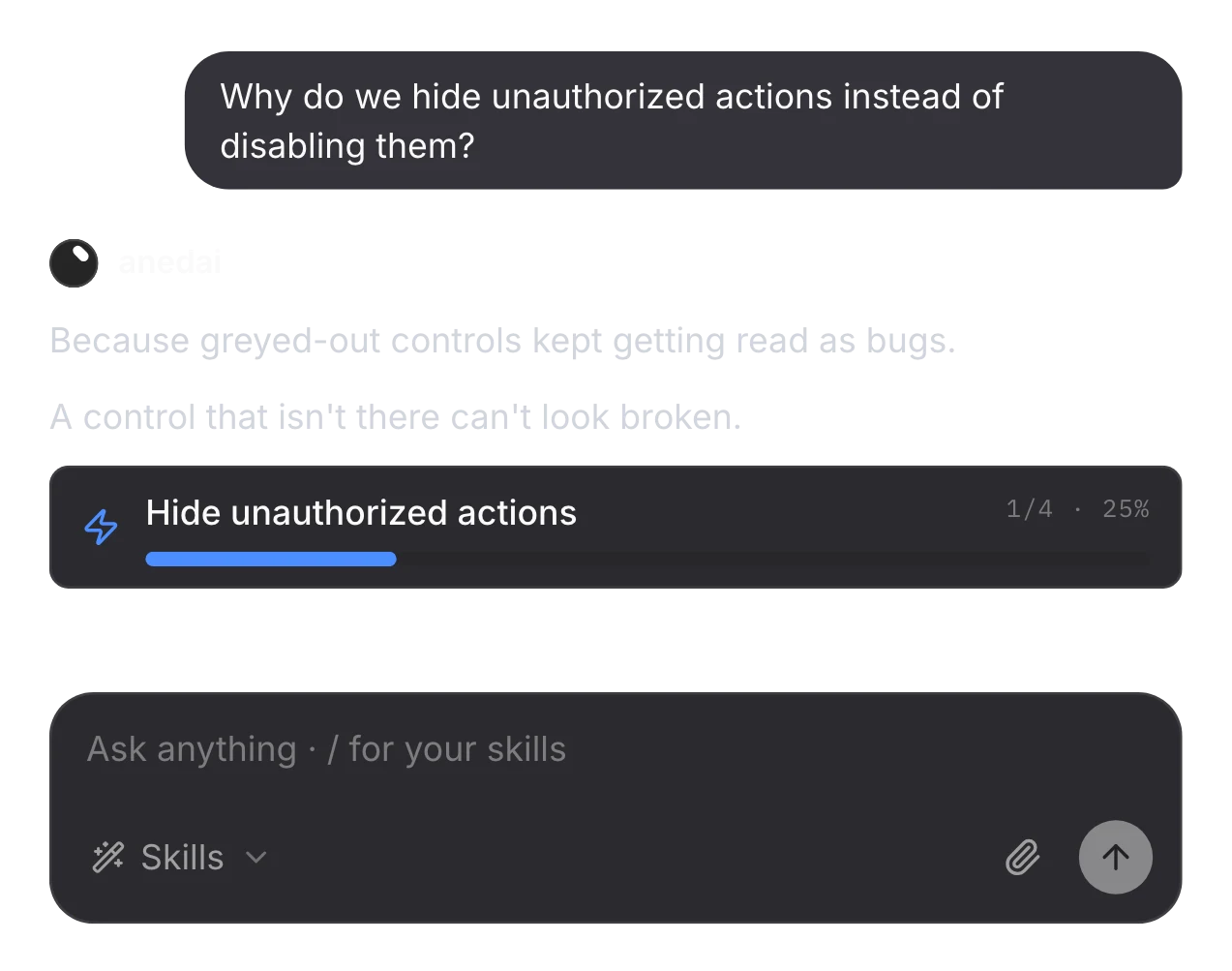
Ask why it's built this way
The answer comes from the decisions on the card, with the evidence behind them.
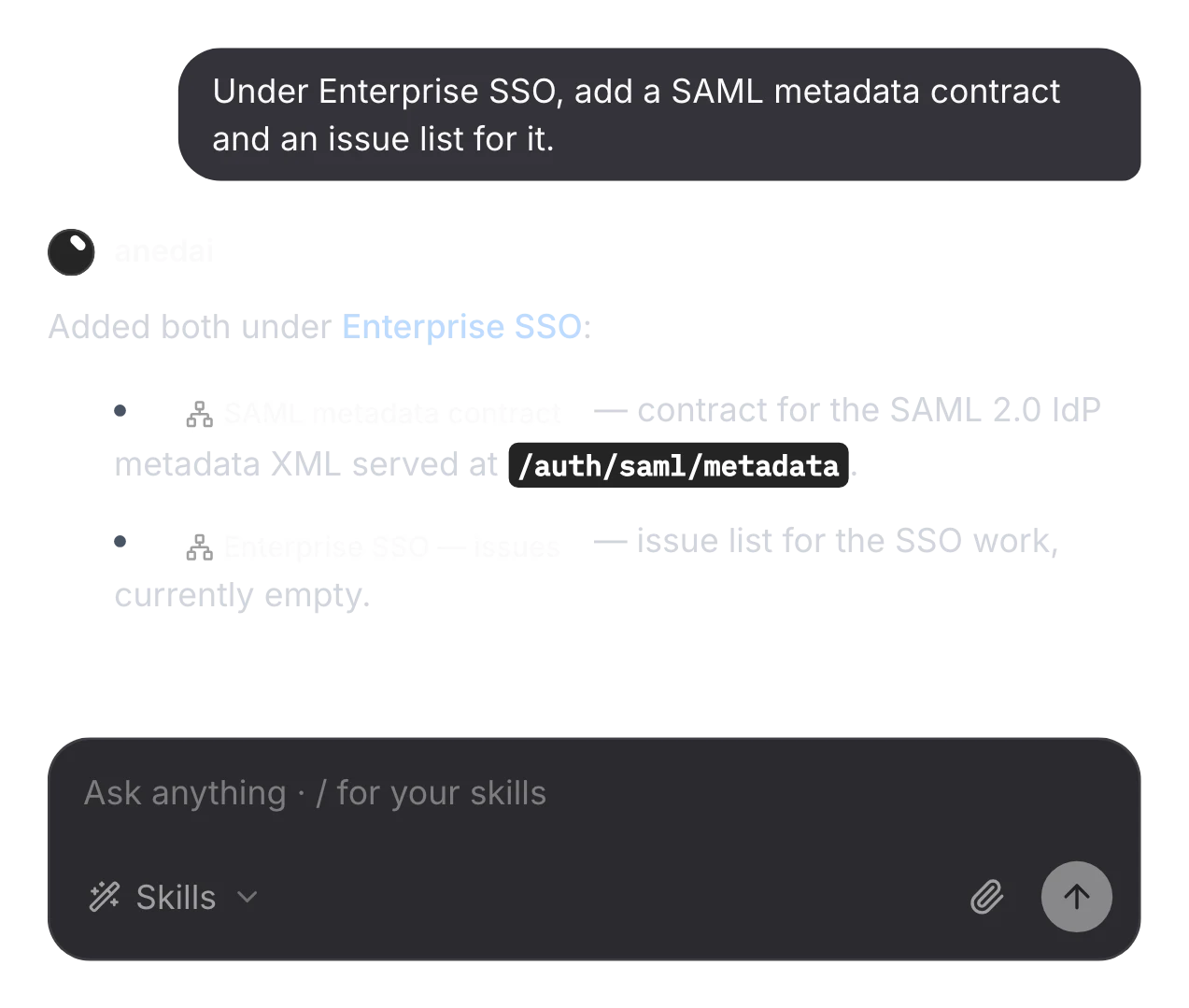
Expand in a sentence
Ask for a contract or an issue list and it adds the cards and links under the capability.
Record the decision
It records what was decided and why, on the card it shapes, and says so if it's already there.
The plan, connected
One graph, from the goal to the issues.
Every atom links to the ones above and below it, so any issue can say which capability it builds and which goal that serves.
FAQ
Questions, answered.
Do I still need to write a PRD?
No. The PRD tab is generated from the plan's cards, so it can't drift from what's being built. The ERD tab does the same for the data model.
What if something is no longer relevant?
Use Mark obsolete instead of deleting it. It's dimmed and left out of rollups, and its history stays readable.
Can I undo the AI's changes?
Yes. The canvas is snapshotted whenever the AI changes it, and Restore brings back the canvas with its issues, sprints and milestones. The current state is saved first, so a restore can be undone too.
Where does a plan live?
Each plan belongs to a project and sits under a team, in Team → Plans, with Overview, Plan, PRD, ERD and History tabs.
Connected
Works with
- SignalsOne inbox for customer feedback, support email and production errors, with duplicates linked and demand counted.
- IssuesA full tracker built into the plan, so every issue knows why it exists.
- RoadmapCapabilities on a timeline, with status that updates itself from the work.
- DocsNotion-style pages with private and shared spaces, live co-editing and inline comments.


One connected product memory for the people and AI building your product.
Bring your tools, your docs and your team. AnedAI keeps the story between them.